Chess Clock Ultra
The essential dual-player chess clock for over-the-board play. Two timers, tap to switch, every time control you need — Blitz, Rapid, Classical and fully custom. Free on iPhone, iPad and Android.
Every time control you need.
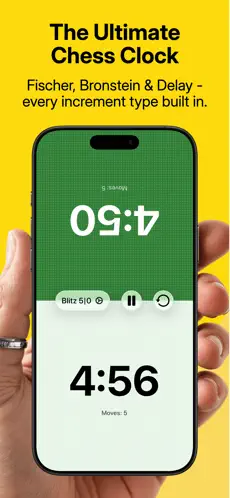
Two independent timers, one tap to switch turns. Simple, reliable, and beautifully designed for over-the-board chess.
Whether you're playing a quick blitz game at a coffee shop or a serious classical match at your chess club, Chess Clock Ultra has you covered with preset and fully customisable controls. Multi-stage time controls support tournament play out of the box.
Adaptive portrait and landscape layouts that look great on any device.
Blitz, Rapid, Classical —
or build your own.
Pre-loaded presets for every common format and a custom builder for anything else.
-
Blitz
Fast-paced games for quick matches. Preset blitz time controls ready to go.
-
Rapid
A balance of speed and strategy. Enough time to think, fast enough to keep it exciting.
-
Classical
Long time controls for serious, thoughtful tournament-style games.
-
Custom
Build your own with multiple stages for complete flexibility.
Fischer, Bronstein,
delay or none.
Every common increment system supported faithfully.
-
Fischer
Time added per move
The most widely used increment in modern chess. Time is added after each move.
-
Bronstein
Up to move duration
Time added up to move duration. You never gain time, only avoid losing it on quick moves.
-
Delay
Simple Delay
A countdown before the clock starts ticking. Think for free during the delay period.
-
None
Pure countdown
Sudden death. A fixed amount of time and nothing more. Classic chess clock behaviour.
Built for actual play.
The details that matter when you're across a board from someone.
-
Multi-stage support
Different time settings after a specified number of moves, just like real tournament play.
-
Favourites
Star your frequently used time controls for quick access. Get playing faster.
-
Adaptive layout
Works beautifully in portrait and landscape. The layout adapts to your device and orientation.
Questions, answered.
For app-store searchers and curious humans.
- Is Chess Clock Ultra free?
- Yes. Chess Clock Ultra is free on the App Store and Google Play. No subscriptions or required purchases.
- What time controls does it support?
- Blitz, Rapid, Classical and fully custom time controls. Multi-stage tournament time controls (e.g. 40 moves in 90 minutes, then 30 minutes for the rest).
- What increment types are supported?
- Fischer (time added after each move), Bronstein (time added up to move duration), Simple Delay (a countdown before the clock starts), and No Increment (pure countdown).
- Does it work in landscape and portrait?
- Yes. Chess Clock Ultra has adaptive layouts that work beautifully in both portrait and landscape orientations on phones and tablets.
- Can I save my favourite time controls?
- Yes. Star any time control to access it quickly from your favourites list — get playing faster.
- What devices are supported?
- iPhone, iPad and Android phones and tablets. Free downloads on the App Store and Google Play.
- Who makes Chess Clock Ultra?
- netAdapt Ltd, an independent UK software studio in Newbury, Berkshire. We have been building chess apps and platforms since 2001.